Benefits for kids
Your kid always sees where they stand.
And learns to save first and wait. Everything below is from our demo, with Maya, our sample kid.
- Free
- No ads
- Ages 5–12
- 2-minute setup
What they’ll learn
Four money habits, one at a time, in their buddy’s words.
Habit 1
Every dollar has a place
Money lands in Spend, for now, or Grow, for later, like checking and savings.

Biscuit says
“Spend jar is for now. Grow jar is for later.”
Habit 2
Save before you spend
On the 1st, part of last month’s job money moves to Grow, a quarter by default. Nobody has to ask.

Mochi says
“You don’t have to move coins. Saving day does it for you.”
Habit 3
Wanting can wait
Big buys need your OK, and you can make them wait a night.
Biscuit says
“Still want it tomorrow? Then it’s a good pick.”
Habit 4
Waiting pays
Your savings bonus adds to Grow each month, 5% to start.
From our demo: if Maya keeps going like this. Mochi says
“Money you keep today can grow tomorrow.”
From 5 to 12
It grows with them
A 6-year-old and an 11-year-old use the same jars but get different things out of them.
AgesAges 5 to 7
- Money inJobs, allowance or gifts land in a jar
- Save firstSome always goes to Grow
- WaitSleeping on a big buy
- ChooseCount and color the boxes
- GrowGrow gets bigger on the 1st
AgesAges 8 to 10
- Money inEvery dollar has a place
- Save firstPay yourself first, a share of job money
- WaitWants change, so check tomorrow
- ChooseEach box is a tenth of the goal
- GrowWaiting earns a bonus
AgesAges 11 to 12
- Money inIncome gets split, not just spent
- Save firstSave before spending, not from leftovers
- WaitPlanned buys vs. impulse buys
- ChooseSaving for the goal means skipping some small buys
- GrowThe bonus grows on last month’s bonus, like interest, but on paper
What your kid will see
Real screens from the demo, with Maya, our sample kid.
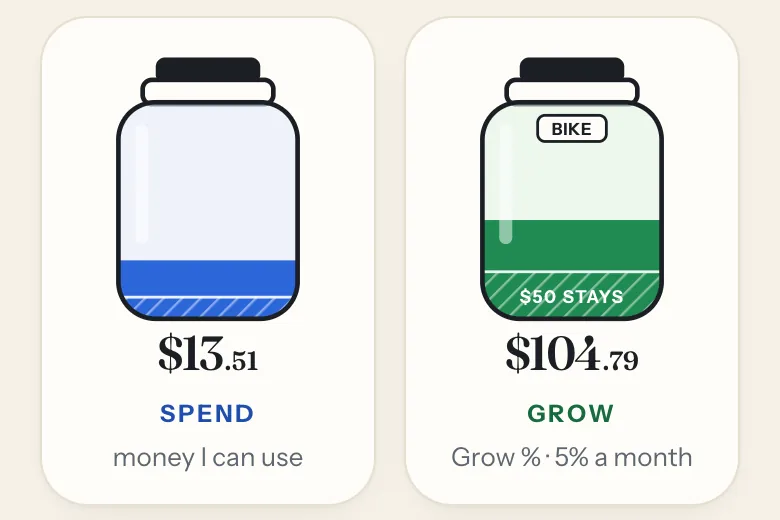
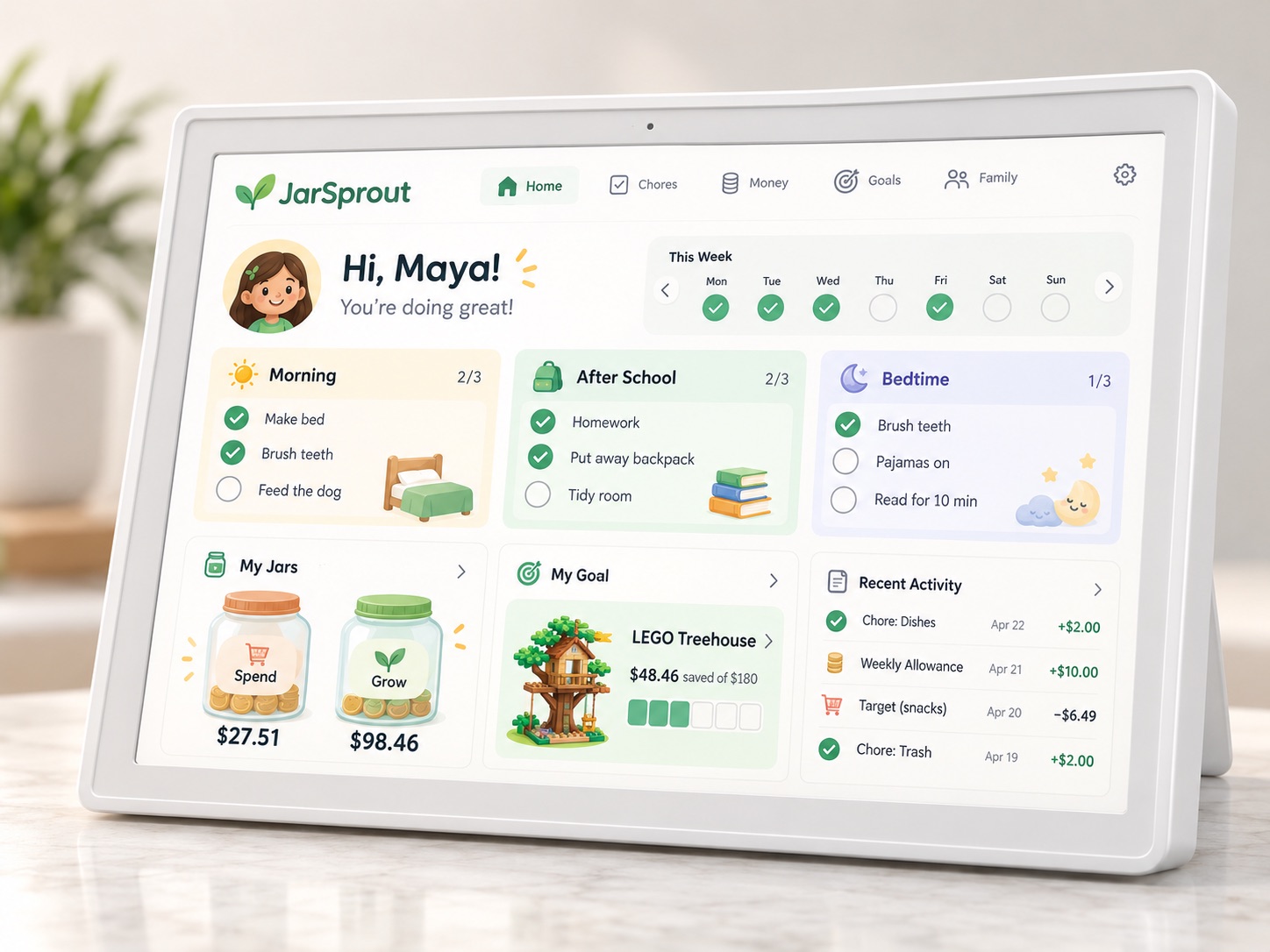
Two jars, always on screen
Spend is for now. Grow is for later, and a little always stays in it. When they buy something, you pay and it comes out of their jar.
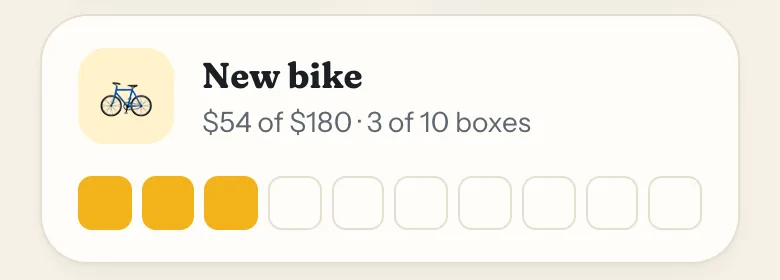
A goal they picked
Ten boxes show how close they are. Each box is a tenth of the price.
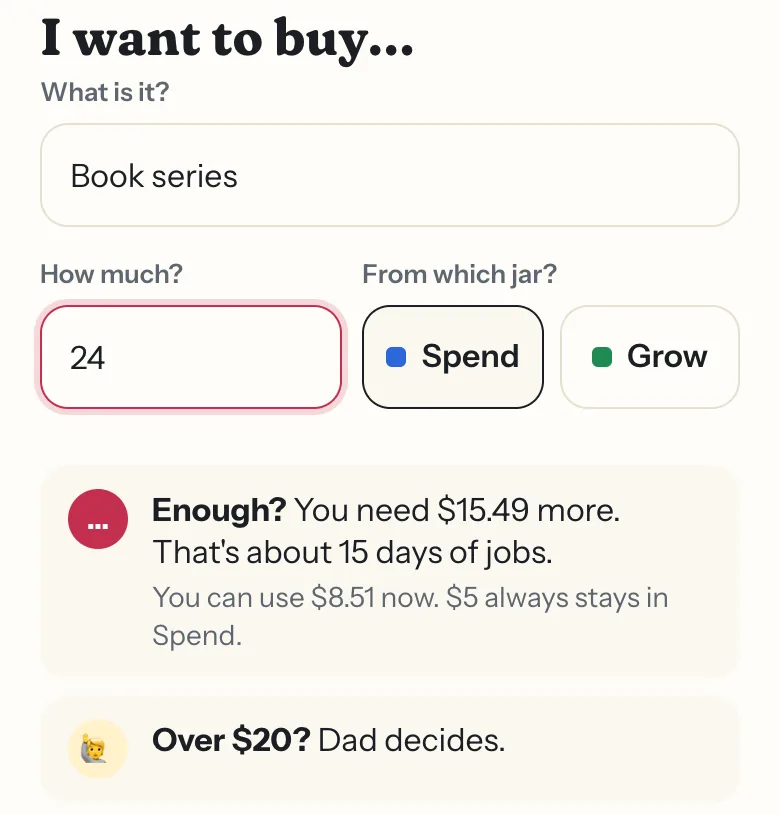
They ask before big buys
They see how far off it is first. Over an amount you set, you decide.
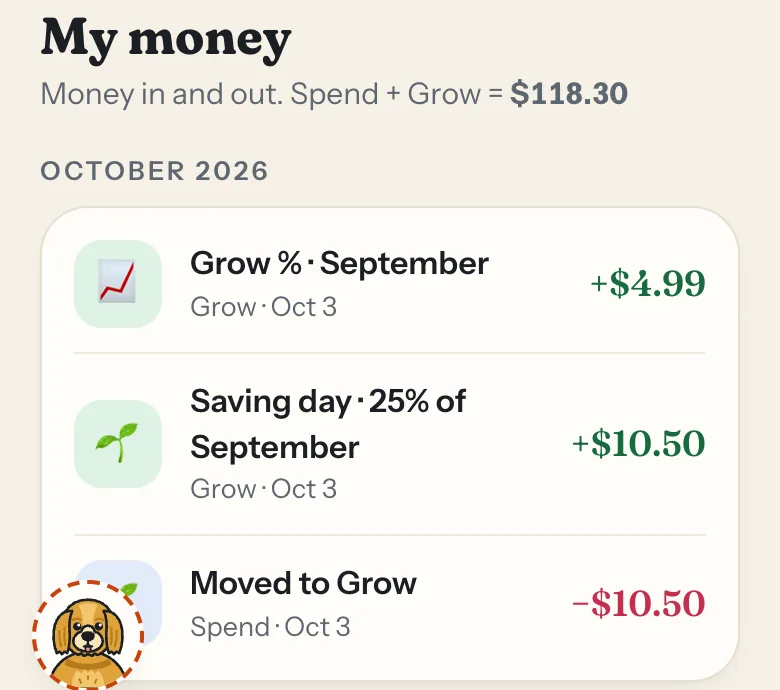
Every dollar, in plain words
My money lists every dollar in and out: gifts, jobs, buys and Saving day.
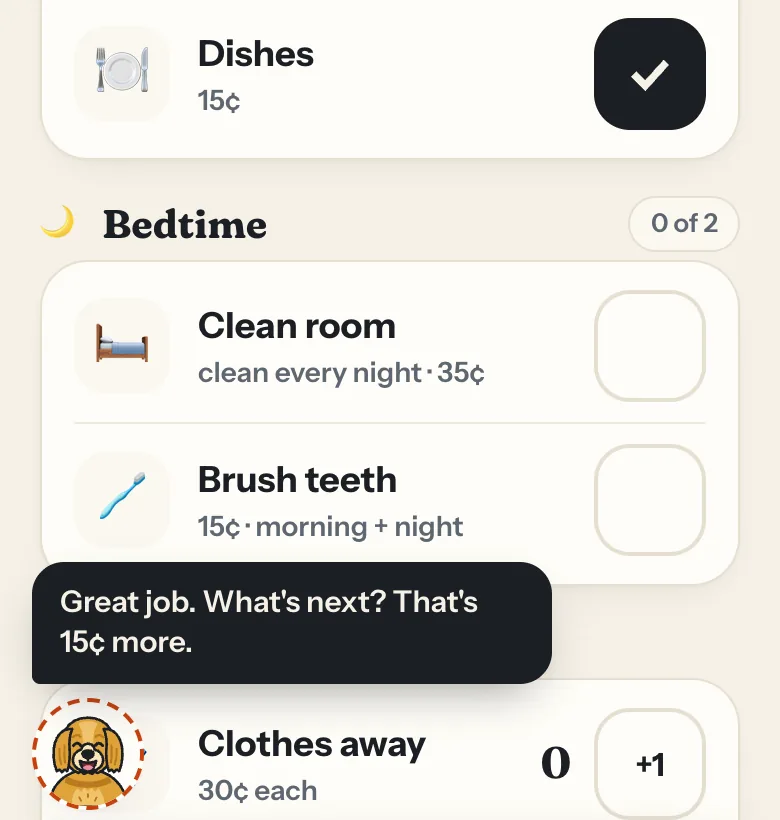
A buddy who cheers them on
Biscuit or Mochi explains the jars in kid words.
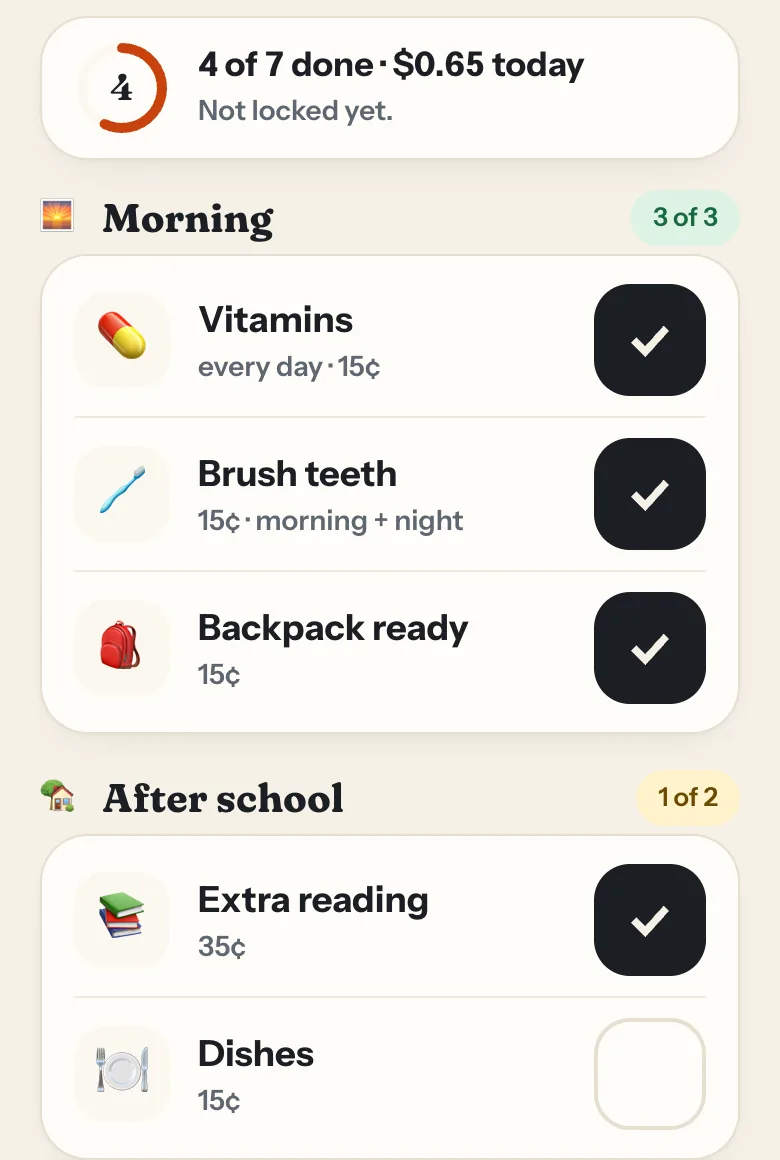
They see what each job pays
If you use jobs, they tick them off and watch the day add up.
Why it’s safe for them
They only see their own jobs, jars and goal. No ads, links, chat or store, and no money moves through the app.
- Family code and a 4-digit PIN, no email or phone
- Locking a day needs your PIN
- Saying yes to a buy needs your PIN
- Works on a shared family tablet
Questions
Will my kid get it?
Most kids 5 and up catch on fast. Little ones watch the jars and tick jobs, if you use them. Older ones set goals and ask to buy.
How long are they on it?
A few minutes a day. There’s no feed or video to keep them scrolling.
Can they mess anything up?
Not really. They can tick jobs and ask to buy. Locking a day and saying yes to a buy both need your PIN.
Will they ask me less?
Usually. They can check the jar first, and it tells them how far away they are.
Set your kid up
It’s free with no ads, and their sign-in takes about two minutes to make.