Benefits for parents
Fewer money arguments. A kid who saves.
Your kid learns to spend some and save some. You pick the numbers and use jobs if you want them. No bank account or card: the money stays with you, and the app keeps count.
- Free
- No ads
- Ages 5–12
- 2-minute setup
What it changes for you
What your kid learns, and what it asks of you. Real screens from the demo, with Maya, our sample kid.
They learn to save, not just spend
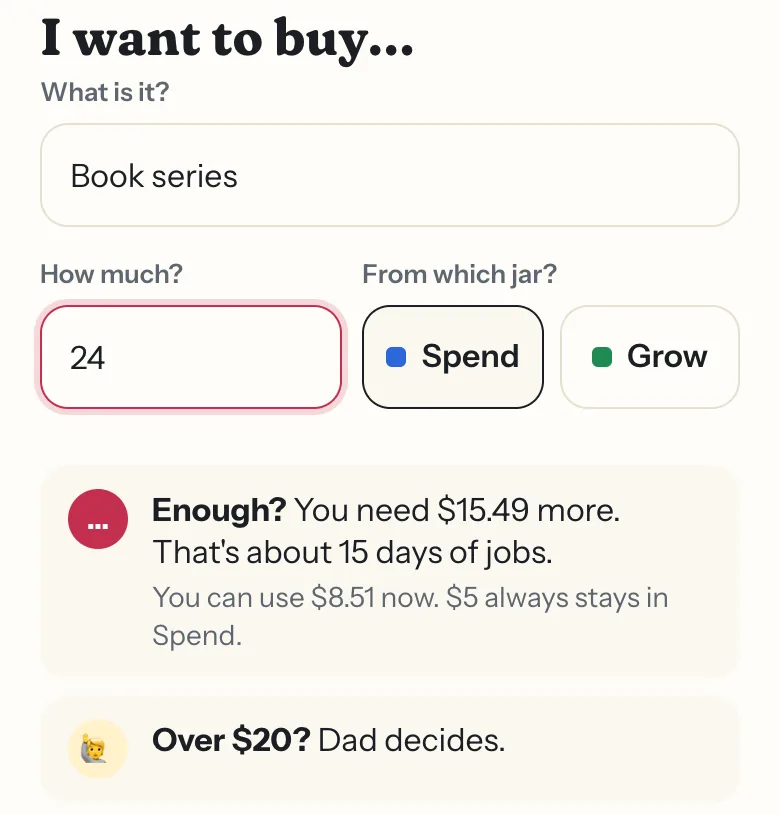
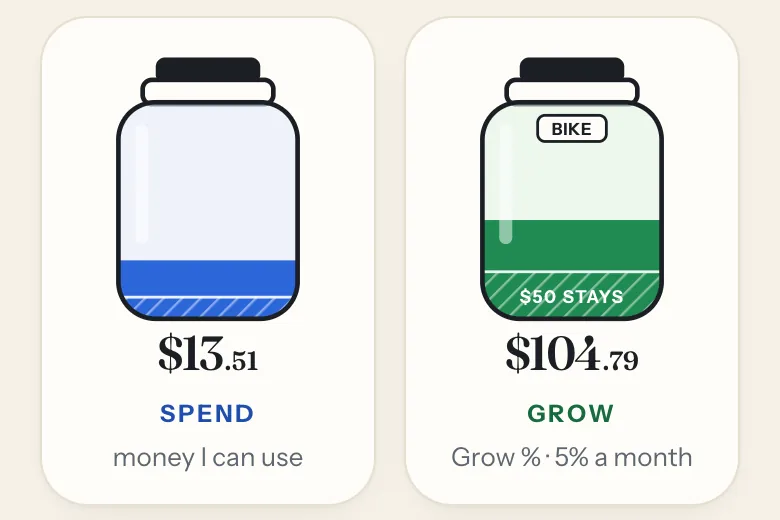
Spend works like checking, Grow like savings. Some always goes to Grow, and a goal shows what saving gets them.
They save up for something real
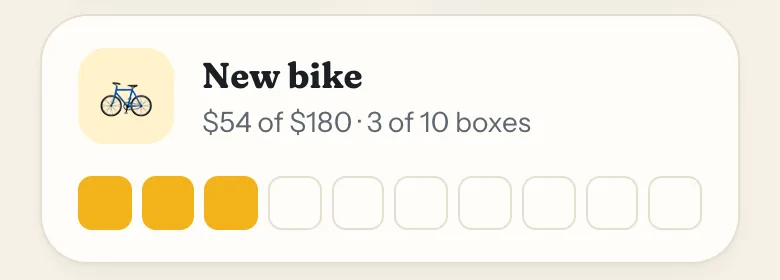
They pick a goal, like Maya’s new bike, and fill ten boxes as they save. Each box is a tenth of the price.
Your money stays with you
No bank account, no kid card, no fees. Jobs, allowance and gifts go into their jars in the app, on paper. When they buy something, you pay the way you always do and the app takes it out of their jar.
Fair for siblings
Each kid gets their own amount, rules and goal. Or match them in one tap.
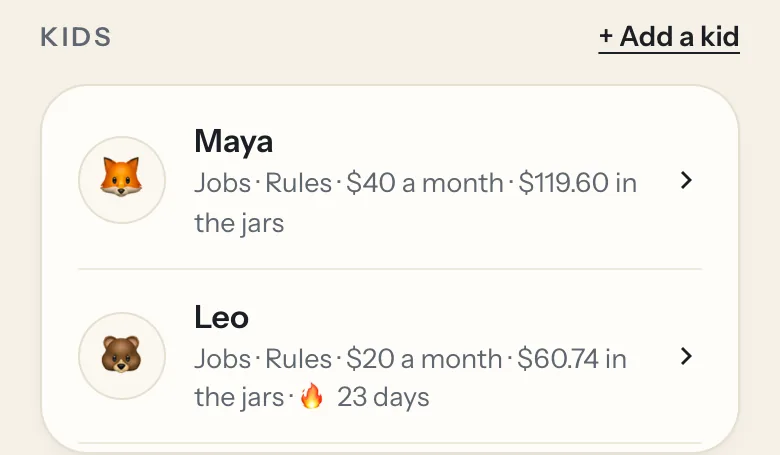
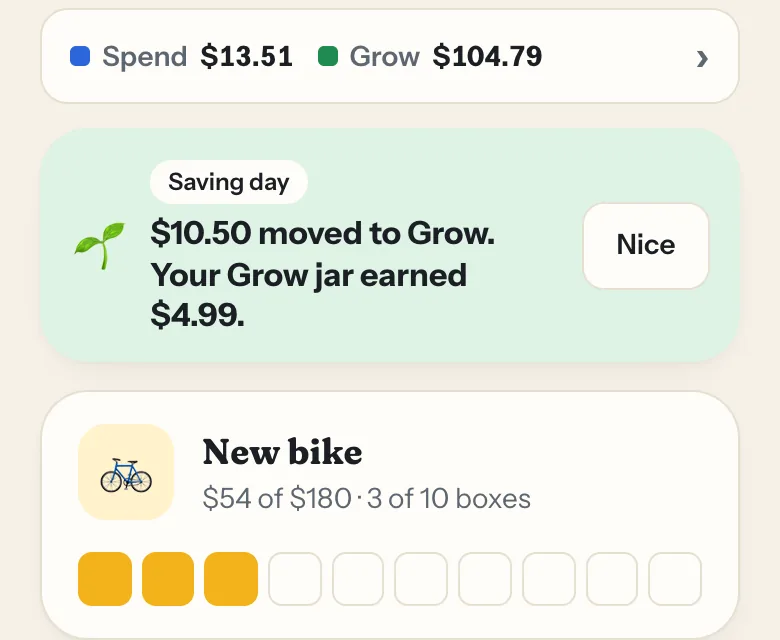
Maya’s September, from the demo
On the 1st, saving happens. Nobody has to remember.
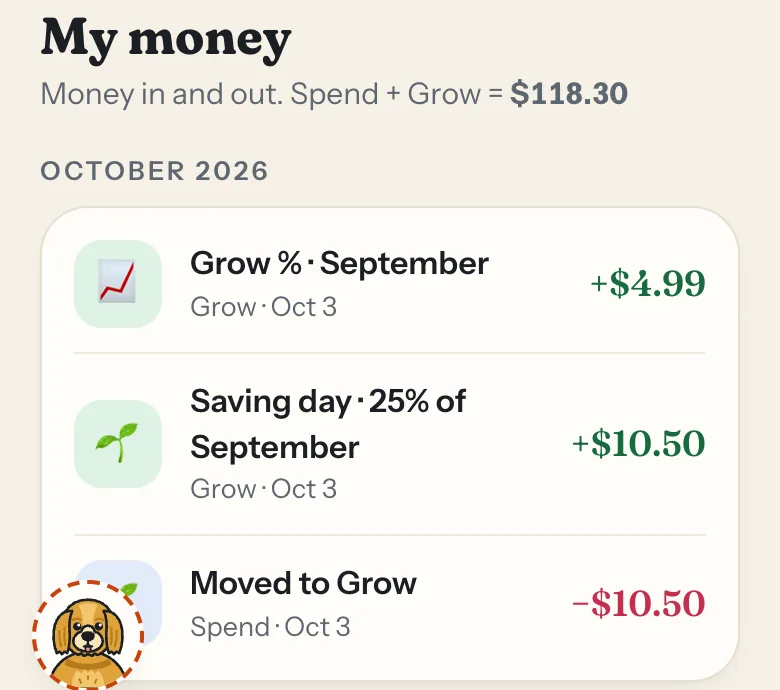
Your savings bonus goes in too, all on paper. Maya sees what moved and why.
- +$10.50moved from Spend to Grow: the quarter of job money her family saves
- +$4.99savings bonus you add, on paper, at the 5% we start you with
- 3 of 10boxes toward her $180 new bike
Lock a day yourself in the sample family. No sign-up, nothing is saved.
Try the demoOptional
If you use jobs
Jobs are optional. If your family wants them, here’s what they add.
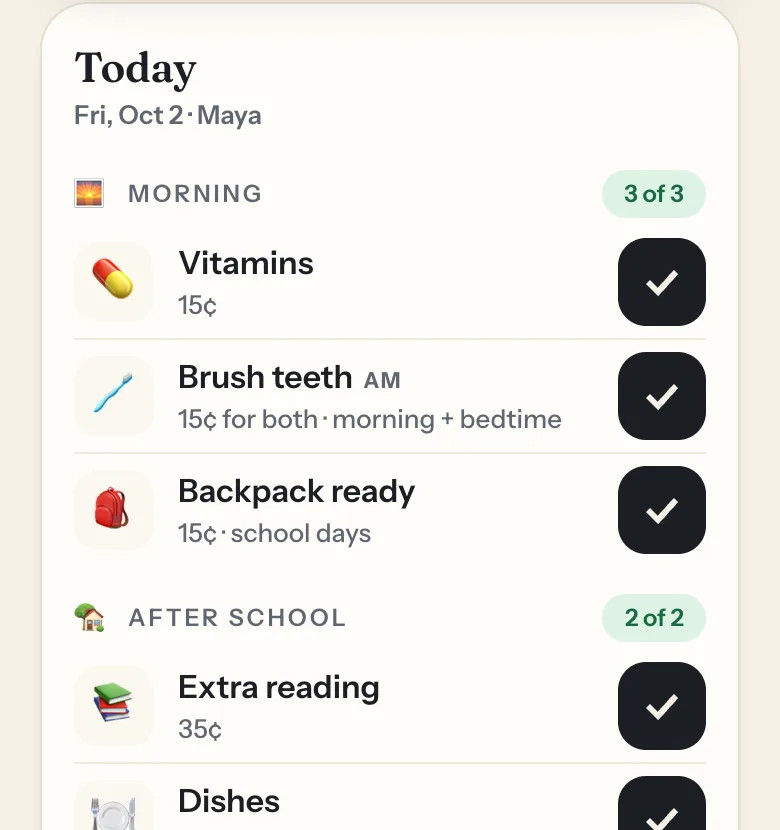
Every job shows its price
Skip the dishes and that 15¢ just doesn’t show up. Not using jobs? Give an allowance with Give extra instead.
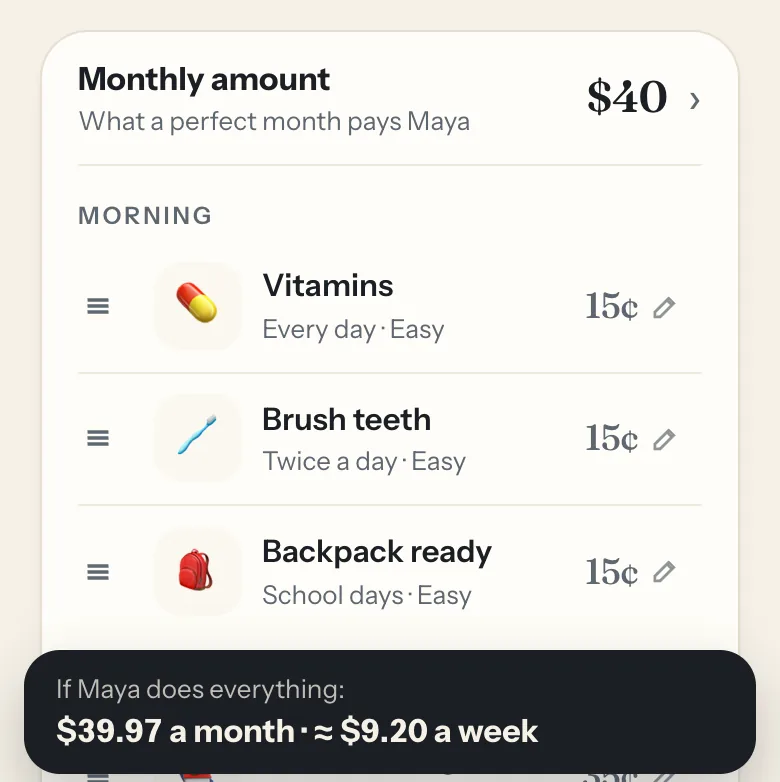
It never costs more than you pick
Say $40 a month. The app prices the jobs so a month with every job done never pays more.
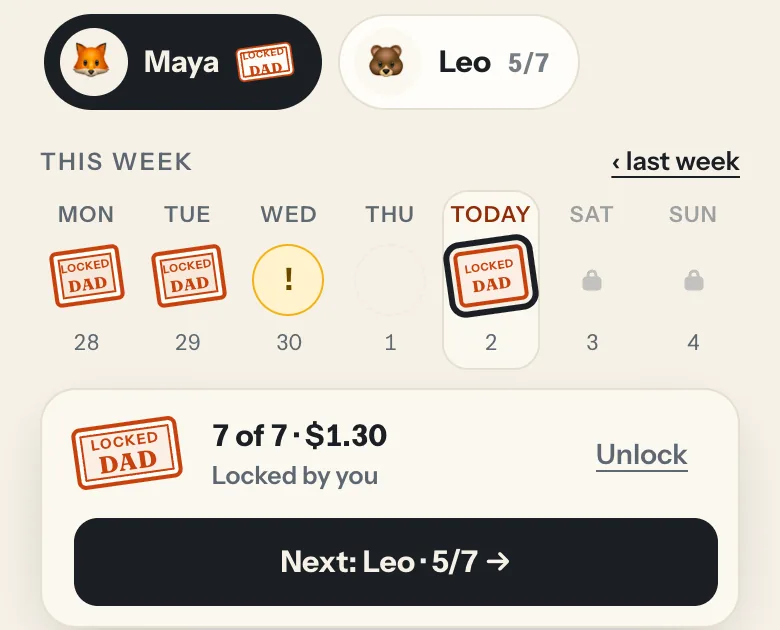
About a minute a night
Check their jobs, tap Lock, next kid. Either parent can do it.
How the money works
You set the rules per kid. The app does the math.
Three numbers build their savings
These are Maya’s, and where we start you. Change any of them, for each kid.
- $50stays in Grow, so something is always saved
- 5%savings bonus you add to Grow each month, on paper. Pick 0 to 20%.
- 25%of last month’s job money moves to Grow on the 1st, if you use jobs. Pick your own share.
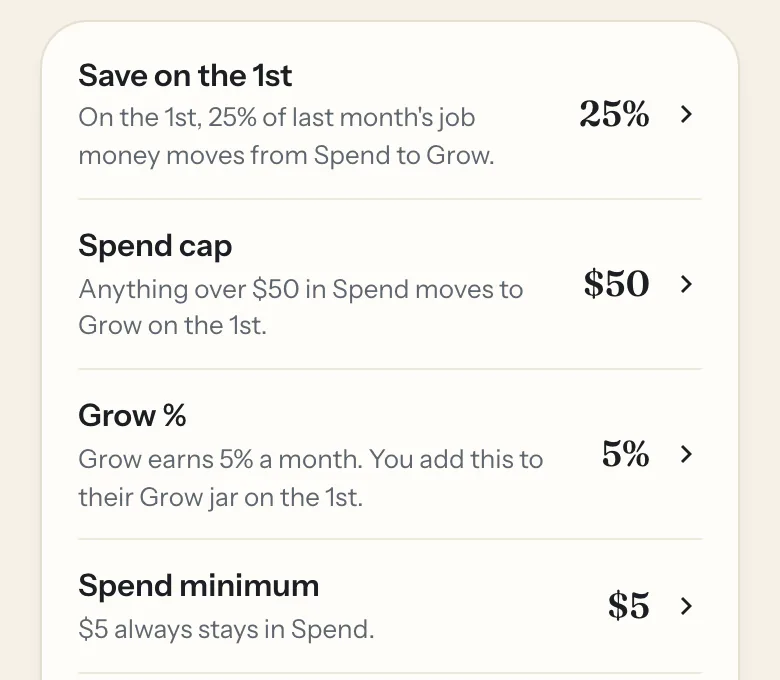
More detail: everything you can set
- Monthly amount$40
- If you use jobs: what a full month of jobs pays, never more.
- Job prices15¢ to 55¢
- Optional. The app fits them under the monthly amount. These are Maya’s, or set your own.
- Savings bonus5%
- You add it to Grow on the 1st: $5 on $100. Set it from 0 to 20%, or turn it off.
- Spend cap$50
- On the 1st, anything over the cap in Spend moves to Grow too. Raise it, lower it, or set it to 0 to turn it off.
- What stays$5 · $50
- The last bit in each jar can’t be spent. We start at $5 in Spend and $50 in Grow; change either one.
- Ask to buyover $20
- Buys over the amount you pick need your OK. By default, Grow buys wait a night; you can turn that on for Spend too.
- Save on the 1st25%
- If you use jobs: the share of last month’s job money that moves to Grow. Pick any share, or 0.
No card, no bank account
Kids’ debit-card apps move real money onto a card. JarSprout keeps the record and leaves the money in your account.
| Question | JarSprout | Kids’ debit-card apps |
|---|---|---|
| Bank account | None, it stays in yours | A new one in your kid’s name |
| Card | None, so no card fees | Often a fee for the card |
| Cost | Free, no ads | Usually a monthly fee |
| Money moves | Nothing moves | Loaded onto the card |
| Saving | Automatic on the 1st | Often up to you |
| Ages | 5 to 12 | Often older kids and teens |
Questions
Do my kids have to do chores?
No. Jobs are one way money comes in, and they’re up to you. You can give a set allowance, gifts or rewards with Give extra instead, or mix both. The automatic saving on the 1st counts job money, so without jobs, put part of each allowance straight into Grow.
Can I change the numbers?
Yes, for each kid. We start you with a quarter of job money saved on the 1st, Spend over $50 moved to Grow, a 5% savings bonus, ask first over $20, and $5 in Spend and $50 in Grow that always stay. Change any of them, or match siblings in one tap.
Does it work in my currency?
Yes. Pick any currency when you sign up, from euros to yen. JarSprout keeps count in it.
Can both parents use it?
Yes. Invite a co-parent for free. Either of you can lock the day and say yes to a buy.
What if we skip a day?
Lock it later in the week. Pick the day on your Today screen. You can also undo a lock until midnight.
My kids are different ages.
Each kid gets their own monthly amount, jobs and rules, or you can match them in one tap.
How long does it take?
Setup takes about two minutes. After that it’s about a minute a night.
Every feature
For kids
- Spend and Grow jarsalways on screen
- Jobs with pricesoptional, like 15¢
- Saving daythe 1st of each month
- Savings bonus0–20%, you add it
- A little always stays$5 in Spend, $50 in Grow
- Goal with ten boxesthey pick it
- Ask to buyyour OK, can wait a night
- Their own sign-infamily code and PIN
- Biscuit or Mochia buddy who explains the jars
For parents
- Lock the daythat day’s money goes to Spend
- Monthly amountjob prices fit under it
- Your own pricesor let the app fit them
- Rules per kidsavings share, bonus, limits
- Match siblingsone tap
- Co-parentseither of you can lock and approve
- Undountil midnight
- Catch uplock a missed day later
- One recordevery job and buy
Family and trust
- No bank linkthe money stays in your account
- Any screeniPhone, iPad or any browser
- Any currencyfrom euros to yen
- Free, no adsno fees
- Sprout Stationoptional kitchen tablet
Try it this week
Set up your first kid in about two minutes, or look around the demo first.